1qqq App — Get the Android APK Free
Play slots, fishing games, live casino and crash on your phone. The 1qqq App is a free Android APK — no Google Play needed. Under 36 MB, works on Android 7.0 and above. Deposit with bKash or Nagad, withdraw in minutes.
- SSL-secured download
- Android 7.0 and above
- bKash · Nagad · Rocket · Upay
- 24/7 Live Chat support
- 18+ · Play Responsibly
System Requirements & Version Info
Before you download, check your phone meets these specs. If Android version is below 7.0, the app will not install — update your phone OS first.
| Detail | Specification |
|---|---|
| App Version | 2.5.2 |
| File Size | 36 MB |
| Minimum Android | Android 7.0 (Nougat) or higher |
| Last Updated | 5 November 2026 |
| Price | Free |
| Languages | English, Bangla |
| Internet Required | Yes — mobile data or Wi-Fi |
| Supported Devices | All Android smartphones and tablets running Android 7.0+ |
| iOS | Use Safari browser — tap Share → Add to Home Screen |
| Source | Direct from 1qqq.lat (not Google Play) |
iOS users: open 1qqq.lat in Safari, tap the Share button, then choose Add to Home Screen. This pins the site as a home screen shortcut — no APK needed.
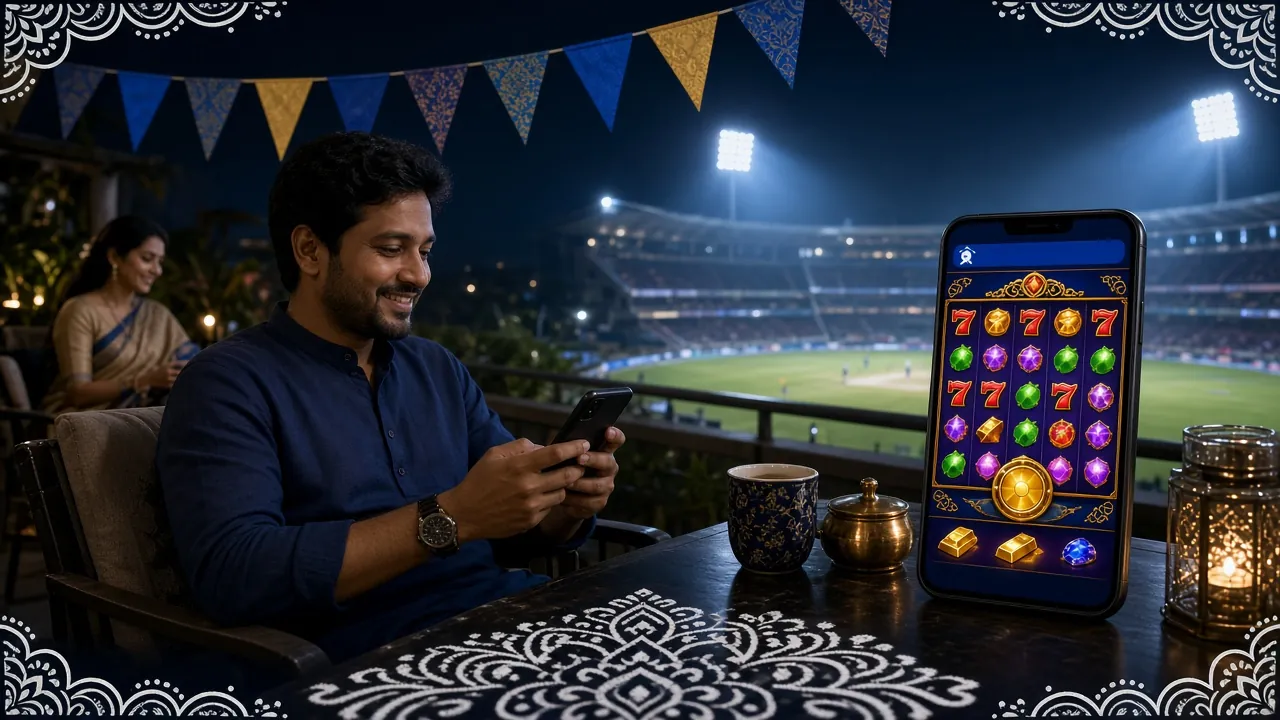
App vs Browser: What Changes Day to Day
Both the app and the mobile website give you full access to games and payments. The difference is speed and convenience — the app is faster to open, holds your session longer, and uses less mobile data once loaded.
| Feature | 1qqq App (APK) | Mobile Browser |
|---|---|---|
| Load speed after first use | Faster — cached assets | Reloads on each visit |
| bKash / Nagad deposit | Fully supported | Fully supported |
| All games playable | Yes | Yes |
| Push notifications | Bonus & promo alerts | Browser only |
| Session stays logged in | Longer session timeout | Shorter — clears with browser cache |
| Home screen access | Single tap | Open browser first |
| Mobile data usage | Lower after install | Higher — full page each load |
| Screen orientation lock | Landscape supported | Depends on browser |
| KYC document upload | Camera direct access | File picker |
| iOS support | Android only (APK) | All devices |
Already have an account? Head straight to 1qqq Login after installing. New player? Register here — takes under two minutes.
Security & What the App Needs Access To
The 1qqq APK is scanned before every release. It requests only the permissions it actually uses — nothing reads your contacts, SMS or location.
SSL on Every Request
All data between the app and 1qqq servers uses TLS encryption. Your account credentials, deposit amounts and withdrawal requests are never sent in plain text. The same certificate protects the full website.
Camera Permission: KYC Only
The app requests camera access only when you upload your NID, Passport or Driving Licence for the KYC check. It does not access the camera at any other time. KYC is required before your first withdrawal — not at registration.
No SMS or Contacts Access
1qqq App does not read your SMS inbox, call log or contacts list. It needs internet access and storage permission only — internet to connect to games, storage to save the installation package during setup.
APK Updates Are Safe
When a new version releases, you download a fresh APK from the same page (1qqq.lat/1qqq-app/). Do not install APK files shared by other users or unknown Telegram groups — download only from this official page. Version 2.5.2 is the current release.
What You Can Play Inside the 1qqq App
Every game type on the full website runs inside the app. Tap to browse by category or search by game name.
Slots — Over 5,200 Titles
PG Soft, FA Chai, Red Tiger and KA Gaming slots all run on mobile. Games like Captain's Bounty (RTP 95.8%) and Monster Dice (RTP 97.5%) load within seconds on a standard 4G connection.
Live Casino Tables
Stream real dealers on European Roulette (FA Chai, RTP 96.6%) from your phone. Bet from ৳2 per round. The video stream adjusts quality automatically to your connection speed — no manual setting needed.
Crash & Aviator Style
Quick-round crash games run smoothly on the app. Cash out before the multiplier drops. Rounds finish in under 20 seconds — ideal when you have short breaks between tasks or matches to follow.
Fishing Games
Monkey King Fishing (FA Chai, RTP 96.7%) and Dragon Fishing 2 (KA Gaming) are optimised for touch controls. Aim and shoot with a tap — no physical buttons needed. Bet from ৳1 per cannon shot.
Bonus Wallet in the App
Your welcome bonus, reload offers and referral rewards all appear in the app's bonus section. The 185% first deposit bonus (up to ৳22,000) applies on mobile deposits too — just deposit ৳400 or more with bKash or Nagad.
Deposits & Withdrawals
Add funds via bKash, Nagad, Rocket or Upay inside the app. Deposits reach your balance in about 2 minutes. Withdrawals process in roughly 8 minutes. Minimum deposit ৳400, minimum withdrawal ৳1,500.
Popular Games in the App


Browse all 5,200+ titles in the 1qqq Casino lobby.
Installing the 1qqq APK on Android — 5 Steps
The whole process takes under three minutes on most Android phones. Follow each step in order. If you get stuck, check the troubleshooting table below.
-
1
Allow Unknown Sources
Go to Settings → Security (some phones: Privacy → Install Unknown Apps). Enable "Allow from this source" for your browser (Chrome or the browser you use to download). This one-time setting lets Android install APKs from outside Google Play.
-
2
Download the APK
Tap Download APK on this page. Your browser will save 1qqq.apk (36 MB) to your phone's Downloads folder. Keep the screen on while downloading — switching apps mid-download can interrupt the transfer on slow connections.
-
3
Open the File
When the download finishes, your browser shows a notification. Tap Open. Alternatively open your Files app, go to Downloads and tap 1qqq.apk. Android will show an install confirmation screen with the app name and permissions list.
-
4
Tap Install
Review the permissions shown — internet access and storage are listed. Tap Install. Android copies the app files; this takes under 30 seconds. Do not tap "Done" until the progress bar completes. Tapping too early stops the install.
-
5
Log In or Register
Tap Open after install completes. The 1qqq App launches. If you already have an account, go to Log In. New to 1qqq? Tap Register, fill in your mobile number and password — takes about 90 seconds. Your welcome bonus activates on your first deposit.
iPhone / iPad: Add 1qqq to Your Home Screen
There is no iOS APK. Use Safari to get a shortcut that works like a native app:
- 1 Open Safari and go to 1qqq.lat
- 2 Tap the Share icon at the bottom of the screen (the box with an arrow pointing up)
- 3 Scroll down and tap Add to Home Screen
- 4 Name it "1qqq" and tap Add
- 5 The 1qqq icon appears on your home screen. Tap it to open in full-screen mode without the Safari toolbar
Download 1qqq APK — Version 2.5.2
1qqq App v2.5.2 for Android
Free download, direct APK — no app store needed. Works on Android 7.0 and above. Under 36 MB so it downloads quickly even on mobile data.
- All 5,200+ games accessible from one app
- bKash, Nagad, Rocket and Upay payments built in
- Deposit in ~2 min · Withdraw in ~8 min
- Push notifications for bonuses and promotions
- English and Bangla interface
Scan the QR code with your phone camera to open the download page directly.
Common Install Problems: Causes and Fixes
If the APK does not install, check the table below. Most errors have a simple fix that takes under a minute.
| Problem | Likely Cause | Fix |
|---|---|---|
| "Install blocked" or "not allowed" | Unknown sources permission not enabled for your browser | Settings → Security → Install Unknown Apps → Select your browser → Allow. Then re-tap the APK file from Downloads. |
| "App not installed" after tapping Install | Old version of the 1qqq App still on the phone, or storage is nearly full | Uninstall the old 1qqq App first (Settings → Apps → 1qqq → Uninstall). Free up at least 100 MB of storage, then reinstall v2.5.2. |
| Download stops at 50–80% | Unstable mobile data or Wi-Fi connection dropped mid-download | Switch to a stable Wi-Fi connection. Delete the incomplete file from Downloads, then tap the Download APK button again from this page. |
| App installs but crashes on open | Android version below 7.0, or corrupted download | Check Android version: Settings → About Phone → Android Version. If below 7.0, update your OS. If 7.0+, delete the APK, re-download and reinstall. |
| White screen or games not loading inside the app | No internet connection, or the app needs a one-time cache build | Check your data or Wi-Fi connection. Close the app fully (remove from recent apps), reopen and wait 10–15 seconds for the lobby to load. The first open takes slightly longer. |
Still stuck? Contact our team: [email protected] — 24/7 live chat is also available inside the app.
Related pages on 1qqq:
Questions About the 1qqq App
Jump to Question
Is the 1qqq APK safe to install?
Yes, when you download directly from this page (1qqq.lat/1qqq-app/). Every APK release is scanned before it goes live. The file is served over HTTPS so it cannot be altered in transit. The app requests only internet access, storage and camera (for KYC document upload) — no access to your SMS, contacts or call history. Do not install APK files shared in WhatsApp groups or from third-party sites, even if they claim to be the same version. Only the file on this page is official.
What if the installation fails partway through?
The most common reasons are: unknown sources not enabled for your browser, an older version of the app still installed, or a corrupted download from a dropped connection. First, check Settings → Security and confirm your browser is allowed to install apps. Then uninstall any existing 1qqq App from your phone. Delete the APK from your Downloads folder and download it again from this page on a stable Wi-Fi connection. If the problem continues, email [email protected] with your Android version and phone model.
How do I update to the latest version of the app?
The 1qqq App does not update automatically — there is no Play Store connection. When a new version is available, return to this page and download the new APK. You do not need to uninstall the old version first; installing the new APK over the existing one upgrades it and keeps your account data. The current version is 2.5.2, last updated 5 November 2026. Check this page occasionally for new releases, or watch for the in-app update notification that appears at the top of the lobby screen.
Is there a version of the 1qqq App for iPhone?
There is no iOS APK — Apple does not allow sideloading APK files. iPhone and iPad users can access all 1qqq features through Safari. Open 1qqq.lat in Safari, tap the Share button at the bottom, then tap Add to Home Screen. This creates a shortcut icon on your home screen that opens the site in full-screen mode without the browser toolbar. All games, bKash payments, bonuses and account features work the same way on iOS Safari as on the Android app.
Do I need to create a separate account for the app?
No. If you already have a 1qqq account, just open the app, tap Log In and enter your existing mobile number and password. Your balance, bonus wallet, game history and VIP level all carry over — the app and website share the same account. If you are new, tap Register inside the app or visit the 1qqq Register page. Registration takes under two minutes and requires only a mobile number and password to start.
Does the app offer different bonuses compared to the website?
No, the same bonuses apply whether you play on the app or the website. The 185% first deposit bonus (up to ৳22,000) activates on your first deposit of ৳400 or more, made through any channel. The wagering requirement is 21x on the bonus amount. Daily cashback of 1.6% and reload bonuses also appear in your app bonus wallet automatically. There are no app-exclusive bonuses and no website-exclusive bonuses — both give you the same offers.
How much mobile data does the 1qqq App use per session?
Slot games typically use 2–5 MB per 10 minutes of play after the initial graphics cache loads. Live casino streams use more — roughly 20–40 MB per 10 minutes depending on video quality, which the app adjusts automatically. Crash games use the least data, around 1–2 MB per 10 minutes. For the best experience on mobile data, connect to a 4G or 5G network. On 3G, games still load but live video quality drops slightly. Wi-Fi is recommended for long live casino sessions.