1qqq Deposit Guide
Read this guide once and you will know exactly how to add money to your 1qqq account using bKash, Nagad, Rocket or Upay — plus what to do if something goes wrong.
At a Glance: Key Deposit Numbers
Before you go to the cashier page, here are the numbers that matter. Everything else in this guide refers back to these figures.
| Detail | Value |
|---|---|
| Minimum deposit amount | ৳400 |
| Time until funds appear in account | Within 2 minutes |
| Accepted mobile wallets | bKash, Nagad, Rocket, Upay |
| Deposit fee charged by 1qqq | None (৳0) |
| First deposit bonus | 185% up to ৳22,000 |
| Minimum withdrawal (after deposit) | ৳1,500 |
| Support if deposit fails | 24/7 Live Chat |
Payment Methods Overview
1qqq supports four mobile wallets that most Bangladesh players already have on their phone. All four work for both deposits and withdrawals.
-
bKash
Deposit: within 2 min
Withdrawal: within 8 min
Min. deposit ৳400 -
Nagad
Deposit: within 2 min
Withdrawal: within 8 min
Min. deposit ৳400 -
Rocket
Deposit: within 2 min
Withdrawal: within 8 min
Min. deposit ৳400 -
Upay
Deposit: within 2 min
Withdrawal: within 8 min
Min. deposit ৳400
All four wallets support instant transfers 24 hours a day, every day — including public holidays and cricket match days.
How to Make Your First Deposit
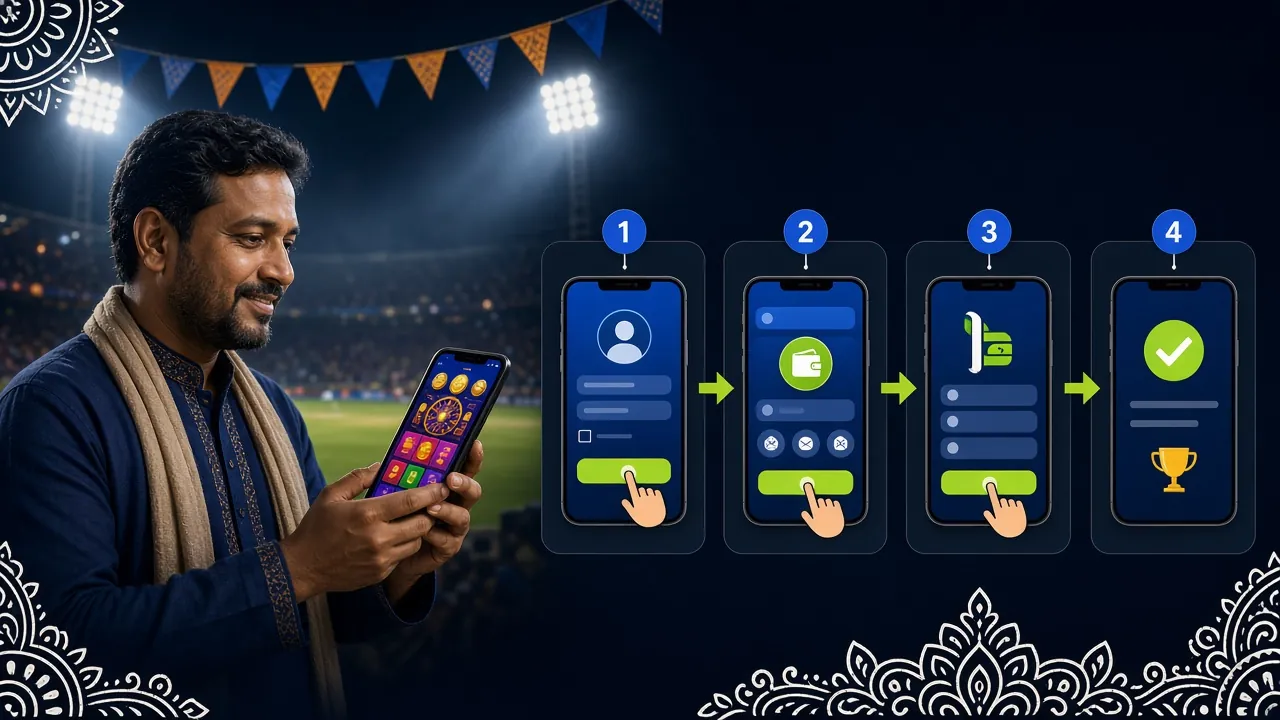
These five steps apply to every payment method. The only difference between bKash, Nagad, Rocket and Upay is which app you open in step 4.
-
1
Log In to 1qqq
Go to 1qqq Login and enter your username and password. No account yet? Register here — it takes under two minutes.
-
2
Open the Cashier
Tap the wallet icon or go to Account → Deposit. You will see the four wallet options on screen.
-
3
Choose a Wallet & Amount
Select bKash, Nagad, Rocket or Upay. Enter the amount you want to deposit. Minimum is ৳400.
-
4
Complete the Transfer
1qqq shows you the merchant number and a reference code. Open your wallet app, send the exact amount, and paste the reference code in the note field.
-
5
Confirm & Play
Your balance updates within 2 minutes. You will see a notification on screen. If it has not updated after 5 minutes, contact Live Chat with your transaction ID.
bKash: Detailed Steps
- In the 1qqq cashier, select bKash and enter your deposit amount (at least ৳400).
- 1qqq displays a bKash merchant number and a unique reference code — copy or note them both down.
- Open your bKash app. Tap Send Money (not "Payment" — Send Money works for most setups).
- Enter the merchant number shown on screen. Enter the exact amount.
- In the reference or note field, paste the unique reference code from 1qqq.
- Enter your bKash PIN to confirm. You will receive an SMS confirmation from bKash.
- Return to 1qqq. Your balance should update within 2 minutes.
Nagad: Detailed Steps
- Select Nagad in the 1qqq cashier. Enter the amount you want to deposit.
- Note the Nagad number and the reference code that appears on your screen.
- Open your Nagad app and tap Send Money.
- Type in the number shown by 1qqq. Enter the exact deposit amount.
- Add the reference code in the message/note field — this is how 1qqq matches your payment.
- Confirm with your Nagad PIN. Save the SMS receipt from Nagad.
- Your 1qqq balance updates within 2 minutes. Check the notification banner at the top of the screen.
Rocket: Detailed Steps
- In the 1qqq cashier, tap Rocket. Type in your deposit amount.
- Write down the Rocket account number and reference code shown on screen.
- Open the Rocket app (or dial *322# if you prefer USSD).
- Select Send Money. Enter the account number from 1qqq and the exact amount.
- Put the reference code in the note field. Confirm with your Rocket PIN.
- Keep the confirmation message — it has the transaction ID you may need if support asks.
- Return to 1qqq. Funds should appear within 2 minutes.
Upay: Detailed Steps
- Choose Upay in the 1qqq deposit screen and set the amount (minimum ৳400).
- Copy the Upay number and reference code displayed by 1qqq.
- Open the Upay app and go to Transfer → Send Money.
- Enter the account number and the exact amount you chose on 1qqq.
- Paste the reference code into the remark or note field before you submit.
- Authorise the transfer with your Upay PIN. Keep the transaction receipt.
- Your 1qqq wallet balance will reflect the deposit within 2 minutes.
Deposit Bonus You Can Claim
Your first deposit at 1qqq qualifies for the welcome bonus. Here are the exact terms so there are no surprises later.
When a Deposit Does Not Go Through
Most deposit problems have a quick fix. Check these four causes first before contacting support.
If you send money without the reference code, 1qqq cannot match the payment to your account. Solution: contact Live Chat immediately with your wallet transaction ID and the amount sent.
Deposits under ৳400 are automatically declined. The cashier page will warn you, but if you proceed manually, the funds will return to your wallet within a few minutes.
Network delays are rare but possible. Wait five minutes, then refresh the app. If the balance still shows zero, open Live Chat and share your transaction ID from the wallet SMS receipt.
Double-check the merchant number on the 1qqq cashier screen before confirming. If you have already sent to the wrong number, contact your wallet provider first, then inform 1qqq support.
What to Tell Support
When you contact 24/7 Live Chat about a failed deposit, have these ready:
- Your 1qqq username
- Payment method used (bKash / Nagad / Rocket / Upay)
- Exact amount sent in ৳
- Transaction ID from your wallet SMS
- Time of transfer (UTC+06)
Support resolves most deposit disputes within 30 minutes once they have the transaction ID.
Deposit Questions Players Ask
What is the minimum I can deposit at 1qqq?
The minimum deposit is ৳400 for all four payment methods — bKash, Nagad, Rocket and Upay. There is no maximum deposit limit set by 1qqq, though your wallet provider may have its own daily transfer cap.
How long does a 1qqq deposit take to arrive?
In normal conditions your balance updates within 2 minutes of sending the transfer. During peak times (Friday evenings, IPL and BPL match nights) it can take up to 5 minutes. If 10 minutes pass without an update, contact Live Chat.
Does 1qqq charge a deposit fee?
1qqq charges zero fee on deposits. Your wallet provider (bKash, Nagad, etc.) may apply their standard Send Money charge — check their app for current rates. 1qqq does not add any extra on top.
Can I deposit from someone else's bKash account?
No. Your deposit wallet must match the mobile number registered to your 1qqq account. Using another person's wallet can cause your deposit to be held for verification, which delays play time. Always use your own registered number.
What happens if I forget to include the reference code?
Without the reference code, the payment cannot be automatically matched to your account. Contact Live Chat right away and give them your wallet transaction ID. The team can usually manually credit the deposit — keep the wallet SMS as proof.
Can I claim the welcome bonus on my first deposit via Nagad?
Yes. The 185% first deposit bonus (up to ৳22,000) applies regardless of which wallet you use. The bonus activates automatically as long as you deposit at least ৳400 and have not claimed any other welcome offer on the same account.
Need Help Right Now?
Our support team is available every day, around the clock. If your deposit is stuck, open the chat and share your transaction ID.
Open Live ChatOr email [email protected]
Ready to Make Your First Deposit?
Register a free account, deposit from ৳400, and your 185% bonus lands instantly — up to ৳22,000 extra to play with.
18+ · Play Responsibly · Gambling involves financial risk. Only deposit money you can afford to lose.